SMTP Relay via Mandrill Service
How to configure Exim4 on Debian Linux to relay emails through Mandrill transactional email service.
If you have ever tried to send emails from your dedicated server in the cloud to either a mailing list or to individual users of your site, you would know that it is not as simple as it sounds. Large email providers might block your emails based on the reputation of your server’s IP address.
The solution we implemented was subscribing to Mandrill and sending all our emails via them.
Configuration using exim4 on Debian Linux:
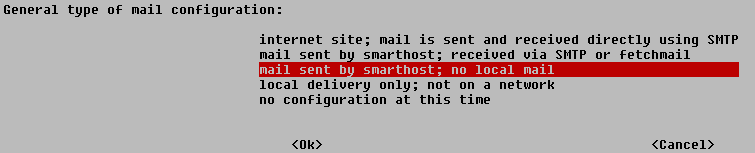
Run sudo dpkg-reconfigure exim4-config and follow the screens, except for these three cases:
- Type of mail configuration - mail sent by smarthost; no local mail
- System mail name - yourdomain.com
- IP address or host name of the outgoing smarthost - smtp.mandrillapp.com::587
Then edit /etc/exim4/passwd.client and add:
*.mandrillapp.com:[email protected]:your-mandrill-api-keyYou can find your Mandrill API from https://mandrillapp.com/settings/index